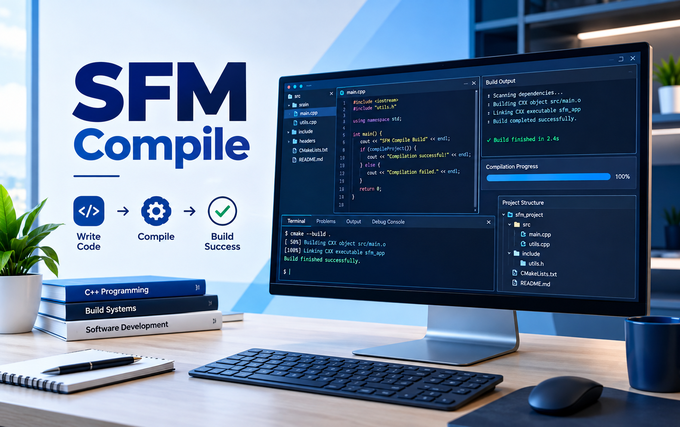

Source Filmmaker stands as Valve’s flagship tool for creating cinematic animations inside the Source engine, allowing creators to craft movies using assets from games like Team Fortress 2 and Half-Life. At the heart of this workflow lies SFM compile, a critical technical process that transforms raw 3D files into formats the engine can actually read. Without compilation, custom models, textures, and maps remain invisible to Source Filmmaker, no matter how well they’re designed. This guide explores everything you need to know about the compilation process.
The sfm compile process bridges the gap between content creation tools like Blender and the Source engine’s proprietary file requirements. Whether you’re importing a custom character model or building an entirely new environment, understanding compilation is essential for bringing your creative vision to life inside SFM.
What Exactly Is SFM Compile and Why Does It Matter?
The sfm compile process is a conversion pipeline that takes source files created in 3D modeling software and packages them into formats the Source engine understands. Raw 3D exports like SMD or DMX files cannot be loaded directly by SFM because the engine requires a specific structure for geometry, textures, bones, and animation data. Compilation bundles all these elements together, producing MDL, VVD, VTX, and PHY files that Source Filmmaker can render and manipulate. Think of it as translating your creative work into the engine’s native language.
Without proper compilation, even the most beautifully crafted model remains useless in SFM. The engine has no mechanism for interpreting standard 3D formats, so creators must run their assets through Valve’s compiler tools. This step isn’t optional or decorative—it’s the foundational bridge between creative software and the game engine. Understanding what sfm compile actually does helps creators troubleshoot errors more effectively and appreciate why specific technical requirements exist. The process demands attention to detail, but mastering it unlocks nearly unlimited creative potential within Source Filmmaker.
The Technical Foundations: How the Source Engine Reads Assets
The Source engine relies on a proprietary asset format that prioritizes runtime performance and memory efficiency. When you load a character in SFM, the engine reads an MDL file that contains the model’s geometry, a VVD file holding vertex data, VTX files for optimized rendering, and PHY files defining collision behavior. These files don’t exist in isolation—they’re generated simultaneously during sfm compile to ensure perfect synchronization between visual and physical representations. This architecture explains why simple file copying never works for custom content.
Texture handling follows a parallel pipeline. Source uses VTF files for texture data and VMT files as material definitions that tell the engine how surfaces should react to light. During sfm compile, the compiler doesn’t generate these textures—it references them based on paths defined in the QC file. The separation between model compilation and texture creation trips up many beginners who compile successfully but see purple-and-black checkerboard patterns in SFM. Understanding this distinction is crucial: compilation packages geometry and animation, while materials remain external references that must be installed correctly.
Essential Tools for Successful SFM Compile Workflows
Valve’s official compiler, studiomdl.exe, lives in the bin folder of your Source Filmmaker installation and performs the actual conversion work. While running it directly from the command line offers maximum control and detailed logging, most creators prefer graphical frontends that simplify the process. Crowbar stands as the community’s favorite compilation tool, providing a user-friendly interface that wraps studiomdl with helpful features like batch processing and clear error reporting. Both approaches produce identical results—the choice comes down to personal preference and workflow needs.
Your toolkit also requires a 3D modeling application for creating source geometry. Blender dominates this space among SFM creators because it’s free and pairs with the Blender Source Tools plugin for streamlined exports. Paid alternatives like Maya or 3ds Max work equally well if you already know them. Finally, a quality text editor like Notepad++ makes writing QC files significantly easier through syntax highlighting and line numbering. These tools together form the foundation of every successful sfm compile workflow.
Understanding the QC File: The Compilation Blueprint
The QC file, short for Quake C, serves as the instruction manual for the entire sfm compile operation. This plain text document tells studiomdl where to find your mesh files, how to name the output, which materials to reference, and what animations to include. Without a properly formatted QC, the compiler has no direction and will either fail outright or produce unusable output. Every successful compilation begins with a carefully constructed QC file that leaves nothing ambiguous. The syntax is straightforward once you learn the essential commands.
Critical QC directives include modelname,whichsetstheoutputpathandfilename,andbody, which points to your reference SMD or DMX geometry. The cdmaterialsdirectivetellstheenginewheretexturefileslive,whilesequence defines animation clips and $collisionmodel links physics meshes. Even a single missing quotation mark or incorrect folder path can halt the entire sfm compile process, making careful proofreading essential. Experienced creators comment their QC files generously to make future troubleshooting faster and less frustrating.
Step-by-Step: Running Your First SFM Compile
Before running the compiler, prepare your model assets according to Source engine requirements. Keep polygon counts reasonable—under 60,000 triangles for a single prop—and ensure your bone hierarchy follows Source naming conventions. Export your reference geometry and physics mesh as separate SMD files, and verify that all referenced texture files exist in the expected directories. Taking time to organize your project folder prevents path-related errors that plague hasty creators.
With assets and QC ready, open Crowbar and select Source Filmmaker as your target game configuration. Browse to your QC file, confirm the output location, and start the compilation. Watch the log window carefully—warnings indicate potential issues while errors signal definite failures. After compilation completes, verify that MDL, VVD, and VTX files appeared in your output directory. Launch SFM, browse to your custom model folder, and test the asset in a scene. This moment of truth reveals whether your sfm compile succeeded or requires further refinement.
Common SFM Compile Errors and Proven Fixes
The purple-and-black checkerboard texture remains the most recognizable sfm compile error, appearing when SFM cannot locate material files referenced in the model. This usually means the $cdmaterials path in your QC doesn’t match your actual folder structure, or the VMT and VTF files aren’t installed in the correct location. Fixing this requires verifying that every path in your QC resolves to real files on disk. The compiler log often reveals exactly which material reference failed, making diagnosis straightforward once you know where to look.
Bone errors present a more complex category of problems. Twisted or broken animations typically stem from mismatched bone names, incorrect hierarchy, or reference pose differences between the mesh and animation files. Corrupted output files that crash SFM on load often indicate insufficient disk space or interrupted compilation processes. When facing persistent errors, the compiler log is your most valuable diagnostic tool—it lists problems in order and points to specific QC lines that need correction. Addressing the first error frequently eliminates cascading failures that follow it.
Advanced SFM Compile Techniques for Complex Projects
Batch compilation transforms how creators handle multi-asset projects. Rather than compiling models one by one, Crowbar allows queuing multiple QC files and processing them sequentially or in parallel depending on system resources. This approach saves substantial time when porting entire character packs or building comprehensive asset libraries. Understanding how to structure batch workflows separates hobbyists from production-focused creators who need to meet deadlines without sacrificing quality.
Multi-model compilation introduces additional complexity through skeleton matching and animation retargeting. When importing characters from other games or creating original rigs, ensuring bone structures align correctly with Source conventions requires careful planning. Advanced creators also leverage custom shaders through VMT parameters to achieve visual effects beyond standard materials. These techniques demand deeper engine knowledge but expand creative possibilities dramatically. Mastering advanced sfm compile workflows opens doors to professional-quality productions entirely within Source Filmmaker.
Optimizing Compile Times and Performance
Compilation speed depends heavily on storage hardware and model complexity. Solid-state drives reduce sfm compile times by up to seventy percent compared to traditional mechanical drives, making SSD upgrades one of the most impactful performance improvements for frequent creators. Multi-threaded compilation flags allow studiomdl to leverage multiple CPU cores, cutting processing time significantly on modern processors. These optimizations compound when working with large projects containing dozens of assets.
Model optimization directly affects both compile duration and in-SFM performance. Reducing polygon counts through decimation, merging redundant materials, and simplifying physics meshes all contribute to faster compiles and smoother viewport playback. Proxy models offer another strategy for complex scenes—creators compile high-detail versions for final renders and low-detail proxies for animation work. This workflow keeps SFM responsive during the creative process while preserving quality for output.
Best Practices for Clean, Reliable Compilations
Organization prevents most sfm compile failures before they occur. Maintain separate directories for source files, compiled outputs, and textures, with consistent naming conventions throughout. Version control for QC files allows you to track changes and revert when modifications introduce unexpected problems. These habits might seem excessive for simple projects, but they pay dividends as asset libraries grow and collaborations expand.
Always test compilations with short, low-resolution proxy renders before committing to full-quality exports. This catches errors early when fixes are quick and frustration is minimal. Keep compiler logs archived alongside project files for future reference—patterns in past errors help diagnose new problems faster. The SFM community remains exceptionally generous with knowledge sharing through forums and tutorials, so searching before struggling alone often yields immediate solutions. Respect for these practices distinguishes reliable creators from those constantly fighting technical fires.
The Benefits of Mastering SFM Compile
Successful sfm compile workflows unlock Source Filmmaker’s full creative potential. Custom characters, unique environments, and original props become possible once you understand the compilation pipeline. Creators who master these skills can produce content indistinguishable from Valve’s official animations, limited only by imagination and effort. The technical barrier, while real, proves surmountable through practice and patience.
Beyond personal projects, compilation expertise opens professional opportunities. Game developers need artists who understand Source engine pipelines, and content creators value collaborators who can reliably deliver custom assets. The skills transfer to other Source engine projects, including modding and game development. Every successful compilation builds confidence and competence, transforming what initially seems intimidating into routine workflow.
Frequently Asked Questions About SFM Compile
Do Workshop assets require compilation? No. Steam Workshop assets arrive pre-compiled and ready for immediate use. Compilation only applies to custom content you create yourself.
How long does a typical compile take? Simple props compile in 10-20 seconds, while complex characters with animations may take 2-3 minutes depending on system specifications and model complexity.
Can I compile models for Source 2 Filmmaker? The process differs significantly. Source 2 Filmmaker uses a different asset pipeline with automatic compilation from content folders, rather than the manual QC-based workflow of Source 1.
What if my compiled model appears but has no textures? This indicates a material path problem, not a compilation failure. Verify that $cdmaterials in your QC matches your actual VMT/VTF locations and that these files exist.
Conclusion
Mastering sfm compile represents more than acquiring a technical skill—it’s the key that unlocks Source Filmmaker’s complete creative potential. The compilation process transforms raw creative output from modeling software into assets that live and breathe inside the engine, ready for animation and storytelling. Yes, the learning curve exists, and errors will frustrate you along the way. But every successful compile builds competence, and every solved problem deepens understanding of how the Source engine actually works under its polished surface.
The community surrounding Source Filmmaker continues to grow, sharing knowledge and resources that make the journey easier for newcomers. Workshop content, forum discussions, and video tutorials provide countless paths to learning. Your first successful sfm compile marks a turning point—the moment when SFM stops being a tool you use and becomes a canvas you control. Take the process one asset at a time, learn from each error, and soon you’ll wonder why compilation ever seemed intimidating.